


Q: Waxing Check-in
0.00.00 Reviews
App Specs
- Version
- 1.21.0
- Updated On
- License
- Free
- Downloads
- 50,000+
- Developer
- delodi
- Categories
- Beauty
- Platform
- Android
Screenshots
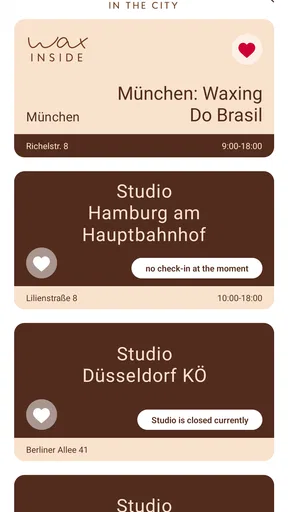
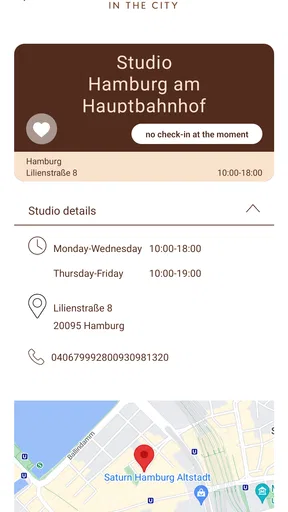
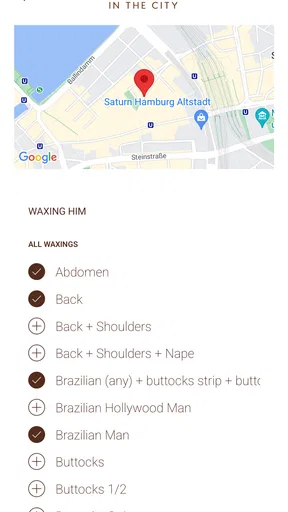
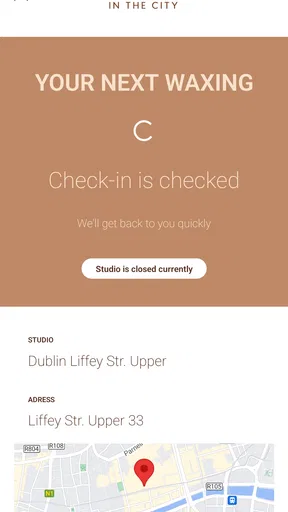
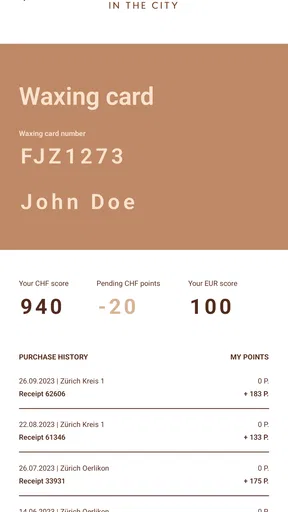
 Analysis by AppCompare
If I were choosing a beauty app for a waxing appointment, I would first ask a simple question: do I need a complete beauty-management tool, or do I mainly need a quick way to check in at WAX IN THE CITY? Q: Waxing Check-in is clearly built around the second need. It is a focused Android app from delodi, available for free and suitable for Everyone, with the store summary “WAX IN THE CITY’S App” and the short description “Q: Waxing Check-in.”
That narrow purpose is both its main attraction and the most important thing to understand before installing it. I would not approach this as a general beauty planner, a waxing education app, or a replacement for a salon’s full booking system. I would judge it by how easily it supports the check-in moment and how little effort it adds to a visit. For that job, a small dedicated app can be more useful than a larger platform filled with tools I may never open.
What I would look for before choosing it
My first decision criterion is speed. A check-in app should help me move from arriving at the studio to being recognized by the service with as few steps as possible. If I am standing near reception, carrying a bag, checking the time, or trying not to hold up the next customer, a complicated interface immediately defeats the purpose. The value here is not entertainment or extensive customization; it is reducing friction around a specific salon visit.
The second criterion is context. The app is tied to WAX IN THE CITY rather than presenting itself as a universal tool for every waxing business. That makes the choice easier for a customer who already uses that brand and much less compelling for someone who visits independent salons, several different chains, or a studio that does not use the same check-in process. In my view, the right question is not whether it has more features than a broad beauty app. The right question is whether it matches the place where I intend to receive waxing services.
I would also consider how often I visit. Someone who goes regularly may appreciate having a dedicated entry point on the phone, especially if the alternative is repeatedly finding a website, asking at the desk, or explaining the visit manually. A person who books one occasional appointment every year may not gain much from installing an app for that single moment. The usefulness grows with repetition and familiarity.
There is also a practical device question. The listed minimum operating-system requirement is Android 7.0, so the app is aimed at a wide range of Android phones rather than only recent models. That is helpful if I keep an older device as a backup or do not upgrade frequently. Still, compatibility on paper is not the same as comfort in daily use: a small screen, poor reception, or an outdated phone can make any check-in process feel slower.
The application has passed the early stage of being a brand-new release. It first appeared on August 8, 2017, and the current version is 1.21.0. I read that as a sign that the app has had time to remain available as a dedicated utility, but I would not treat age alone as proof that every modern expectation is covered. A focused app can stay useful for years while still offering less flexibility than a current mobile website or a larger salon platform.
Worth Reading Before You Choose

EA SPORTS FC Mobile 26 Is a Bigger Football Game, but It Takes Time

Flipboard Shows What News Apps Must Do Beyond the Feed

Switching to Android Auto Means Rethinking Your Driving Routine

Google Calendar Makes a Crowded Week Easier to Manage

Ludo King Makes the Most of the Minutes Between Plans

Baby Panda World Brings Quick Play to Modern Phones, but Its Game Library Feels Busy
Why the focused approach can be useful
In everyday use, I prefer a tool that makes its purpose obvious. The wording around this app points directly toward waxing check-in, so I would expect to open it with a particular task already in mind rather than browse through beauty content. That clarity matters when I am on the way to an appointment and do not want to learn a new system.
A realistic scenario would be arriving at a WAX IN THE CITY location after work. I may have only a few minutes before the appointment, and I may not want to search through email, remember a booking reference, or stand in line simply to announce that I have arrived. A dedicated check-in route can make that transition calmer. Even a small reduction in uncertainty is valuable in a service where timing and personal comfort matter.
Another useful scenario is a repeat customer who already knows the routine. After the first visit, the app can become part of a predictable sequence: arrive, open the check-in tool, complete the required action, and wait for the next instruction. That is a different kind of benefit from the feature-rich approach used by broad beauty applications. The dedicated tool does not need to become my beauty diary; it only needs to fit neatly into the appointment ritual.
There is a subtle advantage to separating check-in from other beauty tasks. If I use one app for product discovery, another for reminders, and a dedicated tool for arrival, each application has a clear role. I am less likely to confuse a promotional page, a booking screen, or a treatment guide with the action needed at the front desk. For a service visit, that lack of clutter can be more valuable than a long feature list.
Where this app is likely to win
The strongest case for Q: Waxing Check-in is convenience at a specific WAX IN THE CITY visit. It is free, which removes the financial barrier to trying it, and its Everyone age rating makes it broadly approachable. The developer, delodi, has kept the product identity centered on the check-in task instead of presenting it as an all-purpose beauty companion. For the intended customer, that focus is easier to understand than a large app that mixes appointments, shopping, editorial content, loyalty functions, and salon discovery.
I also see value in the app as a habit-forming shortcut. When a tool is used only at a particular kind of location, its usefulness comes from recognition: I see the icon and know why I am opening it. That can be more efficient than using a general browser search every time. The benefit is especially noticeable for customers who dislike handling paper cards, searching old messages, or explaining the same arrival details repeatedly.
The install base is already above fifty thousand, which suggests that the app has reached a meaningful group of users without making it a universal mobile standard. I would interpret that carefully. It is enough to show that the concept has practical appeal, but it does not tell me that the app is the right choice for every salon customer. Adoption makes the product more reassuring; it does not change its narrow scope.
Another point in its favor is the low commitment. Because it is free, I can test whether it fits my location and routine without turning the decision into a purchase. If the check-in flow feels natural, keeping it installed costs me little beyond the space and attention any app occupies. If I rarely visit the associated salon, I can decide that a browser shortcut or a direct conversation at reception is simpler.
For users with older Android phones, the minimum requirement may also be a practical advantage. I would still check that the phone runs smoothly and that I can use it comfortably at the location, but the stated compatibility does not force me toward a new handset. That matters for a utility app: requiring expensive hardware would undermine the convenience it is supposed to provide.
Small workflow choices that make a difference
My first tip would be to install and open the app before the day of the appointment, not while standing outside the studio. A check-in tool is most useful when I already know where its main action is and whether my phone is ready. This is a simple habit, but it separates a smooth arrival from a stressful one. I would also keep the phone charged and avoid assuming that every location will have perfect connectivity.
My second tip is to treat the app as part of the arrival process rather than as a booking archive. If I need information about an appointment, I would keep whatever confirmation or calendar entry I normally use available as well. The check-in action and the appointment details may serve different purposes. Keeping those roles separate prevents me from depending on a check-in utility for information it was not designed to replace.
A third useful approach is to decide in advance what I will do if the app is inconvenient on a particular visit. I might go directly to reception, use the salon’s usual alternative, or ask staff for help. That backup is not a criticism of this specific product; it is sensible planning for any location-based digital process. The best check-in app is one that supports the visit without making the customer feel stranded when a phone, connection, or interface gets in the way.
I would also avoid judging the app by how many times I open it during the week. A focused check-in tool may sit unused between appointments and still do its job well. Its success should be measured by the quality of the few moments when I actually need it. That is an important trade-off compared with lifestyle apps, which try to create daily engagement through reminders, articles, or shopping features.
Where another type of app may fit better
If I want to compare several salons, a broad booking marketplace is likely to be more suitable. Those services are designed around discovery and choice, while this app is associated with one waxing brand and one practical action. I would choose the marketplace when location, availability, treatment variety, or comparing providers matters more than a fast check-in at a familiar studio.
If I want to manage appointments across many businesses, a calendar or general booking tool may also be better. A person who visits one place for waxing, another for hair, and another for skincare may prefer a single overview of dates and reminders. The dedicated check-in approach wins when the appointment is already settled; it loses when I need a complete picture of my beauty schedule.
Someone looking for skin-care education, aftercare guidance, product recommendations, or treatment comparisons should not install this expecting a beauty library. The category is Beauty, but that label describes the subject area rather than promising a complete collection of beauty resources. I would use this app for the salon arrival task and look elsewhere for broader advice.
There is also a case for using the mobile web instead. If I visit the associated salon very rarely, opening a browser page when needed may feel cleaner than keeping a dedicated icon on my home screen. The app is more appealing when I value repeatability and quick access. The website-style alternative is more appealing when my use is occasional or when I already manage all service interactions through a browser.
Customers who use iPhones should pay particular attention to platform fit before making this part of their routine. The product information here identifies an Android minimum operating-system requirement, so I would not assume that the same experience is available on every mobile platform. If my household or salon routine involves switching between Android and iOS, I would favor whichever official route is consistently supported for the device I actually carry.
The real cost of switching to a dedicated check-in tool
Because the app is free, the main cost is not money. It is the small amount of time required to install it, understand its role, and decide whether it deserves a permanent place on the phone. For a regular WAX IN THE CITY customer, that cost is easy to justify if it replaces repeated searching or front-desk delays. For an occasional visitor, the setup may be more effort than the saved time.
There is also a mental cost when a salon divides its customer journey between several channels. I may book in one place, receive reminders somewhere else, and check in through this app. That can be perfectly manageable, but it creates more steps to remember. My advice is to keep the appointment confirmation in the method I already trust and use this application only for the arrival action it is meant to support.
Switching is easiest when I test the process during a low-pressure visit. I would not make my first attempt while late for an appointment. Opening the app ahead of time lets me learn whether the wording is clear, whether the route feels intuitive, and whether I prefer it to speaking with staff. If it does not improve the routine, uninstalling it is a reasonable decision rather than a failure.
Privacy and attention are part of the trade-off I consider with any salon app. I do not need a check-in tool to become a constant source of notifications or promotional browsing. I would keep my use narrowly focused and review the phone’s notification choices so that the app supports my visits instead of adding noise. Since the product’s appeal is simplicity, unnecessary interruptions would work against its strongest quality.
Version 1.21.0 gives the app a defined current release to look for, and the long-running availability makes it less experimental than a newly launched utility. Even so, I would update it when an update is offered and verify that it still behaves well on my phone. A dedicated app earns its place by being dependable at the exact moment I need it, not merely by existing in the app store.
Who should use it, and who should skip it?
I would recommend trying it if I were a regular WAX IN THE CITY customer who wants a direct, repeatable check-in step. It is especially suitable for someone who prefers a dedicated app over searching for a mobile page and who values a quick routine more than a large collection of beauty features. The free price makes experimentation straightforward, and the Everyone rating keeps the audience broad.
I would be more cautious if I were still deciding where to book. In that situation, I need comparison and discovery tools, not merely a check-in route. I would also skip it if my waxing appointments are spread across unrelated providers, because the brand-specific focus would not solve my larger scheduling problem.
I would not choose it as my main beauty-management app. It is not the tool I would reach for to organize every appointment, research treatments, track products, or coordinate services from different businesses. A calendar, booking marketplace, or salon platform may be a better center for those needs. This app makes the most sense as a small specialist tool alongside those alternatives.
For a customer who dislikes installing single-purpose apps, the decision depends on frequency. One annual visit probably does not create a strong reason to keep it. Frequent visits can change that calculation because the same small convenience repeats. The more often I arrive at the associated salon, the more the dedicated shortcut earns its space.
My final recommendation is therefore conditional but positive: use it when your routine already revolves around WAX IN THE CITY and you want check-in to be simple
Pros
- Quick check-in helps reduce waiting time at busy salons.
- Simple interface makes appointment details easy to find.
- Useful for tracking upcoming waxing visits in one place.
- Can make salon visits more convenient for returning customers.
- Digital check-in may reduce paperwork at the front desk.
Cons
- Availability depends on whether your salon supports the service.
- Some features may require location or personal information access.
- The app offers limited value if you visit salons infrequently.
- Check-in problems could cause delays if the salon system is offline.
- Notifications may be missed without proper phone permissions.
FAQs for Q: Waxing Check-in
What is Waxing Check-in and who is it designed for?
Waxing Check-in is a salon and appointment-management app focused on waxing businesses and their clients. It can help customers check appointment details, receive updates, and stay informed about upcoming visits, while salons may use it to organize bookings and improve communication. The exact tools available can depend on the salon’s setup, account type, and supported region.
Can I book, cancel, or reschedule a waxing appointment through the app?
The app may allow you to manage appointments directly, including viewing available services, selecting a time, and reviewing booking information. Cancellation and rescheduling options can vary according to the salon’s policies and how Waxing Check-in has been configured. Before changing an appointment, check the displayed terms, notice periods, and possible fees to avoid unexpected charges.
Do I need an account or an invitation from a salon to use Waxing Check-in?
Access requirements may differ depending on whether you are using Waxing Check-in as a client or as a business. Some features may be available only after registering with personal information, confirming contact details, or connecting your profile to a participating salon. If the app requests an invitation, booking code, or salon identification, you may need to obtain it from the business before all functions become available.
What personal information does Waxing Check-in require, and is my data secure?
Waxing Check-in may request information such as your name, phone number, email address, appointment history, and service preferences so the salon can identify your booking and contact you. You should review the app’s privacy policy and the permissions requested during installation. Avoid entering unnecessary sensitive information, and make sure you download the official version from a trusted Android or iOS store.
Does Waxing Check-in work without an internet connection, and is it free to download?
Waxing Check-in generally requires an internet connection for actions such as signing in, loading appointment information, checking availability, and sending updates to the salon. The application itself may be free to download, although appointments, treatments, deposits, or premium salon services can still involve charges. Pricing, device compatibility, and supported operating-system versions should be confirmed on the official store listing.


